



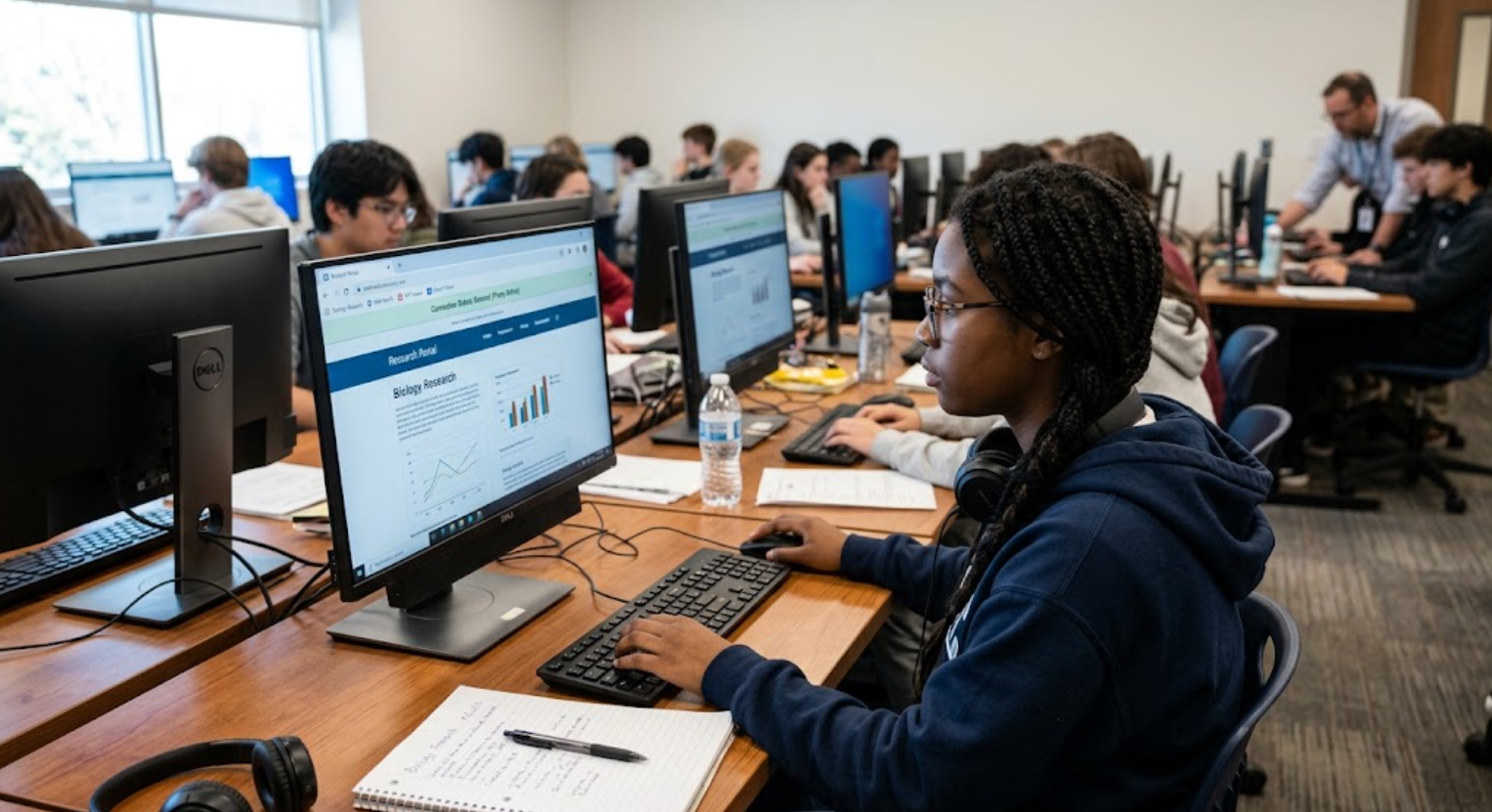
Proxies for school are intermediary servers that sit between a student’s device and the websites or online services they access. Instead of connecting directly to a website, the request can pass through a proxy first. Depending on how the network is configured, the proxy can help schools manage web traffic, apply filtering rules, improve security, and control access to online resources. This makes proxy technology an important part of many managed education networks.
It is also important to distinguish between a school-managed proxy and a public proxy website. Schools may deploy proxy systems as part of their broader network security infrastructure, while students sometimes search for public proxies when trying to reach websites restricted by school policies. These are not equivalent uses. A school-managed proxy is generally designed to support safe and controlled internet access, whereas an unauthorized proxy may conflict with school rules and can introduce privacy or security risks.
According to Google Chrome Enterprise, administrators can configure proxy settings to control how Chrome connects to the internet and manage network traffic across managed devices. The Internet Engineering Task Force (IETF) has also documented the role of proxy servers as intermediaries between clients and web servers.
Key points:
- A proxy works as an intermediary for internet requests.
- Schools can use proxies as part of web filtering and network management.
- Public proxy services are different from school-managed infrastructure.
- Using an unauthorized proxy may violate a school’s acceptable-use policy.
- Security and privacy should be considered before using any third-party proxy.
How School Proxies Work
When a student connects to the internet through a school-managed network, a proxy server can sit between the device and the websites it requests. Instead of sending every request directly to the destination website, the network can route it through the configured proxy. The proxy can then apply rules before allowing the connection to continue. This setup gives school IT administrators greater control over how network traffic is handled and which online resources are accessible.
Modern education networks can use several proxy configurations. Google’s Chrome Enterprise documentation, for example, shows that administrators can configure manual proxy settings for specific protocols, use automatic proxy configuration files, or use web proxy autodiscovery (WPAD). Administrators can also define domains or IP addresses that should bypass the proxy. This means proxies for school are not necessarily simple websites students visit; in many cases, they are part of the underlying network configuration managed by the institution.
What Happens When a Website Is Requested?
A simplified school proxy process looks like this:
- A student requests a website through a school-managed device or network.
- The request is routed through the configured proxy, depending on the school’s network settings.
- Network policies can be applied to determine how the request should be handled.
- The proxy forwards an approved request toward the destination.
- The response travels back through the network, allowing the student to receive the requested content.
This approach can make internet management more consistent across classrooms, computer labs, and other school facilities. Google also provides administrators with tools for applying Chrome policies to users and devices, including the ability to configure a proxy server.
It is worth noting that proxy configuration can vary considerably from one school to another. Some institutions may use proxies alongside other filtering and security technologies, while others may rely on different network controls. Therefore, there is no universal “school proxy” that works the same way everywhere. The exact experience depends on the school’s hardware, software, filtering policies, and administrative settings.
Why Schools Use Proxy Servers
One of the main reasons schools use proxies for school networks is to create a more controlled and secure online environment. Students and teachers may need access to thousands of websites every day, but not every website is appropriate, safe, or relevant to classroom activities. A proxy can act as an important point between users and the wider internet, allowing administrators to apply network policies and filtering rules. Google’s Chrome Enterprise documentation explains that proxy servers can help organizations filter unsafe or unwanted content and specific websites.
Schools can also combine proxies with other technologies, such as URL filtering, DNS controls, and security inspection. This layered approach allows administrators to manage access without relying on a simple list of individual blocked websites. Google notes that stronger website filtering can be handled through content-filtering web proxy servers or extensions. For students, this means that access to a particular website may depend on the school’s policies, the device being used, the student’s account, and the network they are connected to.
Protecting Students From Unsafe Content
Student safety is another important reason for using managed internet controls. Educational devices can be exposed to websites containing malware, inappropriate material, scams, or other potentially harmful content. A properly configured filtering system can reduce exposure by blocking categories or individual destinations considered unsuitable for the school environment. GoGuardian, for example, describes its education filtering technology as a way to block harmful or distracting content while supporting safer online learning.
This does not mean that a proxy alone provides complete cybersecurity protection. Schools typically need several layers of protection because online threats constantly change. Google documents the use of TLS inspection with third-party web filters to help detect online threats, while modern education-security platforms increasingly combine filtering with threat detection and policy enforcement.
Supporting Productivity and Classroom Management
Another practical purpose is keeping students focused on educational activities. During lessons, unrestricted access to gaming, entertainment, social media, or other distracting services can make classroom management more difficult. A school can therefore use network policies to allow educational resources while limiting websites that interfere with learning.
Google’s education documentation specifically notes that URL restrictions can help improve productivity and protect organizations from malicious or inappropriate content. The goal is not necessarily to prevent students from using the internet, but to make internet access more suitable for the educational setting.
| School objective | How network controls can help |
|---|---|
| Student safety | Reduce exposure to harmful or inappropriate websites |
| Learning focus | Limit distracting services during lessons |
| Security | Help identify or restrict potentially risky traffic |
| Policy enforcement | Apply consistent access rules across managed devices |
| Resource management | Allow approved educational websites and services |
Why Public Proxies Are Different
The term proxies for school can sometimes be used online to describe public proxy websites that students attempt to use to circumvent school restrictions. This is very different from the proxy infrastructure operated by a school. Public proxy services can reroute traffic through external servers, but their safety, privacy practices, and reliability can vary considerably.
Security companies have warned about the risks associated with using unauthorized proxy services to bypass school controls. DNSFilter reported that unsafe proxy services can expose students and school networks to threats including phishing, credential theft, malware, and account compromise. GoGuardian likewise identifies proxy websites and changes to network proxy settings among common methods students may attempt when trying to circumvent school filtering.
For that reason, students should not assume that a proxy advertised online is safe simply because it works. If a legitimate educational website is incorrectly blocked, the safer option is to contact a teacher or school IT administrator and request access rather than attempting to circumvent the school’s security controls.
Google Chrome Enterprise and Education Help
DNSFilter research on school proxy risks
Proxies for School: Benefits and Limitations
When properly managed, proxies for school can offer several practical benefits. They can give administrators centralized control over internet traffic, help enforce acceptable-use policies, and support filtering across large numbers of student devices. Google allows administrators to configure proxy settings for managed ChromeOS devices, including manual proxy configurations, automatic configuration files, and Web Proxy Autodiscovery (WPAD). This flexibility is particularly useful for schools with many classrooms, devices, and different user groups.
A managed proxy can also simplify how schools apply internet policies. Instead of configuring every student’s device individually, administrators can apply settings through centralized management. Google states that Chrome administrators can configure proxy servers as part of Chrome policies for users and browsers. This can make network management more consistent while reducing the amount of manual configuration required by school IT teams.
Potential Benefits
Some of the most important advantages include:
- Centralized control: Administrators can manage network behavior from a central system.
- Content filtering: Schools can restrict unsafe, inappropriate, or distracting websites.
- Policy enforcement: Network access can reflect the school’s acceptable-use rules.
- Security support: Proxy-based filtering can work alongside other security technologies.
- Flexible configuration: Different proxy modes can be selected according to the school’s requirements.
However, proxies also have limitations. A proxy is not a universal solution for every cybersecurity or classroom-management challenge. Schools must maintain accurate filtering policies, monitor performance, handle legitimate access requests, and make sure required educational resources remain available. Poor configuration can sometimes cause websites or services to stop working correctly.
Performance and Compatibility Considerations
Network performance is another consideration. When web traffic passes through an intermediary, the proxy infrastructure becomes part of the connection path. Schools therefore need suitable hardware, bandwidth, and configuration to support large numbers of simultaneous users. Google provides networking guidance for Chrome devices in schools and emphasizes adequate bandwidth, wireless coverage, and network capacity.
Compatibility can also matter when a school uses advanced filtering. Google explains that certain proxy configurations can interact with DNS settings and other network features, while TLS inspection requires appropriate certificates and web-filter configuration. In practice, this means schools need to test network policies carefully before deploying them widely.
The biggest lesson is that proxies for school should be viewed as one component of a broader managed network rather than a standalone answer to every internet-access problem. Their effectiveness depends on configuration, filtering technology, security policies, and responsible administration.
Security and Privacy Risks
Security is an important consideration whenever students encounter proxies for school, particularly public proxy services found through search engines. A third-party proxy may route traffic through infrastructure that the school does not control. Users may have limited knowledge of who operates the service, what information it collects, or how securely it handles traffic. DNSFilter has specifically warned that unsafe proxy services used to bypass school security controls can be associated with phishing, credential theft, malware, and other cyber risks.
There is also a privacy issue. A proxy can become an intermediary through which internet requests travel, so users should avoid assuming that a free public proxy automatically provides anonymity or security. Google’s documentation explains that organization-managed proxy servers can provide protection and may filter websites or hide user IP addresses, but that does not mean every third-party proxy offers equivalent protections.
What Students Should Watch For
Warning signs can include:
- Requests for unnecessary personal information.
- Suspicious browser extensions or downloads.
- Unexpected redirects or pop-ups.
- Requests for school account passwords.
- Websites that make exaggerated privacy or anonymity claims.
- Services that require disabling security settings.
A particularly important rule is to avoid entering school credentials into an unfamiliar proxy service. If a student needs access to an educational resource that has been incorrectly blocked, contacting the school’s IT department or teacher is generally a safer solution.
GoGuardian’s recent guidance also shows why schools increasingly monitor proxy-related activity: filtering systems can detect and block attempts to circumvent network policies.
Proxy vs. VPN for School Networks
Although proxies and VPNs are sometimes discussed together, they are not identical technologies. A proxy generally acts as an intermediary for network requests, while a VPN establishes an encrypted connection between a device and a VPN service, routing network traffic through that connection. Their technical designs, coverage, security properties, and administrative controls can therefore differ.
For school networks, the important point is that neither technology should automatically be viewed as a legitimate way to circumvent school restrictions. Schools can configure their networks and managed devices to restrict unauthorized proxies, VPNs, extensions, and other circumvention methods. GoGuardian identifies both proxy websites and VPNs among common approaches students may use to bypass school filters.
Students should therefore focus on the school’s acceptable-use policy rather than simply asking which technology can get around a restriction. If a website is required for coursework but blocked accidentally, requesting an administrator review is a safer and more appropriate approach.
How Students Should Handle Blocked Websites
Finding a blocked website can be frustrating, especially when the resource is genuinely useful for homework, research, or a class project. However, trying random proxies for school is not necessarily the safest response. A better first step is to determine why the website is blocked. It may have been restricted because of its content category, security reputation, network configuration, or an institution-wide policy.
Students can ask a teacher or school IT administrator to review the website. If the resource is educational and appropriate, administrators may be able to approve or allowlist it. Google’s Chrome Enterprise documentation specifically supports allowlists and blocklists for managed browsers and devices, giving administrators ways to permit approved websites while restricting others.
This approach also avoids creating unnecessary security problems. A school administrator can assess whether a website is safe before granting access, whereas a student using an unknown third-party proxy has much less visibility into how the connection is being handled.
Best Practices for Safe School Internet Access
Safe internet use at school starts with following the institution’s network rules and using approved resources. Students should keep their school accounts secure, avoid suspicious downloads, and report websites that appear malicious or inappropriate. They should also remember that school-issued devices and networks may be managed differently from personal devices and home connections.
Administrators, meanwhile, can combine proxy filtering, URL policies, DNS protection, endpoint controls, and security monitoring rather than relying on one technology. Google’s documentation shows that managed Chrome environments support centralized policies for proxies, websites, and extensions, while education-focused security providers increasingly use automated detection to identify proxy bypass attempts.
A balanced strategy is important. Overly restrictive filtering can interfere with legitimate research, while weak filtering can expose students to unnecessary risks. The best school network policies aim to provide access to useful educational information while maintaining reasonable safety, security, and classroom focus.
Conclusion
Proxies for school can serve a legitimate purpose when they are managed by educational institutions. They can help schools filter websites, enforce internet policies, support cybersecurity, and maintain a focused learning environment. Google and major education-security providers document proxy configuration and filtering as important components of managed school networks.
At the same time, public proxies used to bypass school restrictions raise different concerns. Their safety and privacy cannot be assumed, and security researchers have associated unsafe proxy services with phishing, malware, and credential theft. For students, the safest approach is to follow school policies and contact an administrator when a legitimate educational website has been blocked.
FAQs
1. What are proxies for school?
They are intermediary servers that can route and filter internet traffic on a school-managed network.
2. Why do schools use proxy servers?
Schools can use them to filter content, enforce internet policies, improve security, and manage web access.
3. Are public school proxy websites safe?
Not necessarily. Unknown proxy services can create privacy and cybersecurity risks.
4. What should I do if a school blocks a useful website?
Ask a teacher or school IT administrator to review the website instead of attempting to bypass the school’s security controls.
